
Download Auto Mouse Clicker by Autosofted – auto mouse clicker, mouse automation, clicker tool, productivity tool, automation app
Overview
Auto Mouse Clicker by Autosofted is a productivity-focused mobile application designed to streamline repetitive mouse clicking tasks on Android devices. The app serves as a digital assistant for users engaged in activities that require consistent, manual input—such as data entry, online form filling, or automated testing. By automating these actions, the app reduces physical strain and minimizes human error, enhancing efficiency over time. Its primary purpose is to transform monotonous clicking into a background process, freeing users to focus on more complex or creative tasks.
Target users include professionals, students, and casual users who frequently perform repetitive interactions on their mobile screens. The app is particularly useful for those managing multiple online tasks, such as survey participation, social media engagement, or game automation. Although the developer did not provide additional background on Autosofted, the app’s clean design and straightforward functionality suggest a focus on usability and reliability. Real-world use cases include automating repetitive clicks during online surveys, bulk form submissions, or navigating through digital content with consistent input patterns.
Within the mobile productivity ecosystem, Auto Mouse Clicker fills a niche for lightweight automation tools. Unlike complex desktop automation suites, this app offers a minimal yet effective solution tailored to Android users. Its availability as a free tool further increases accessibility, making it a viable option for users seeking quick, no-frills automation without financial commitment.
Key Features & Functionality
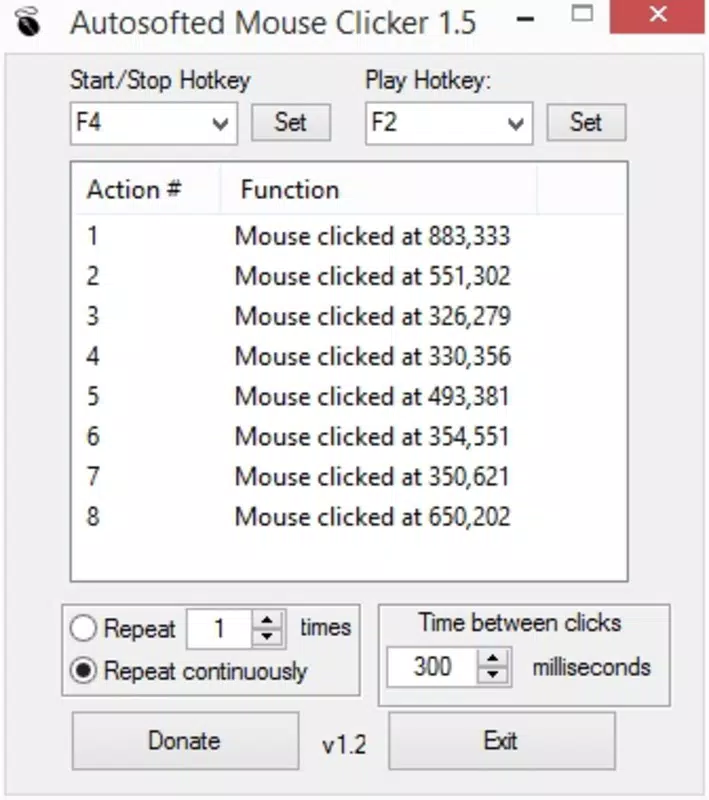
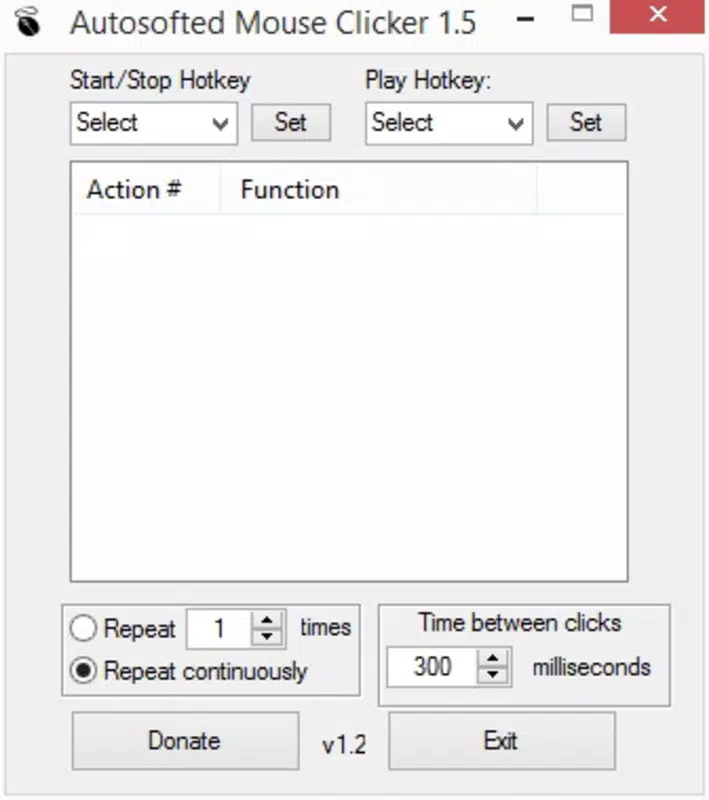
- Simple User Interface: The app features a clean, three-section layout that organizes core functions—trigger settings, click configuration, and history tracking. This intuitive design ensures that users can navigate without confusion, making it accessible even to those unfamiliar with automation tools.
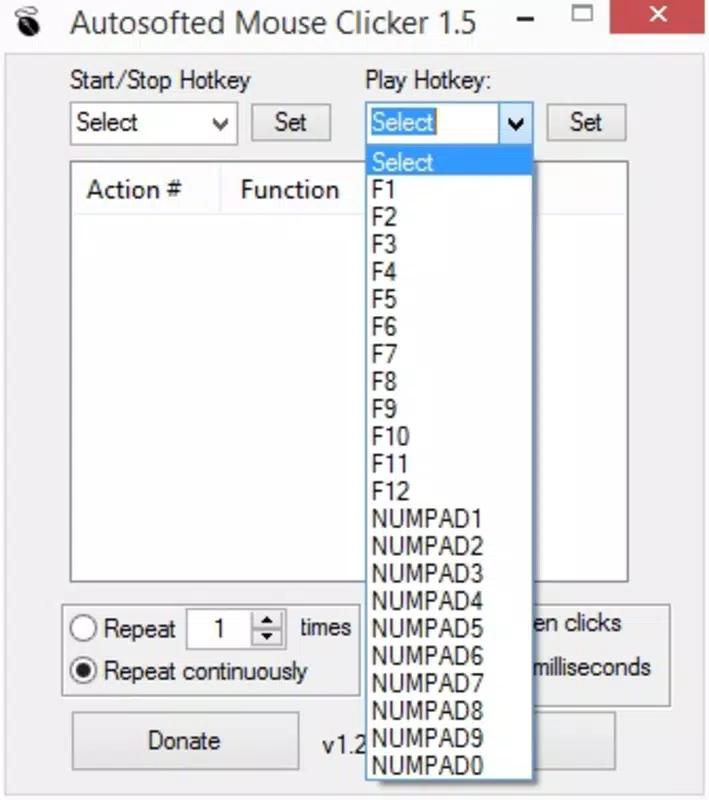
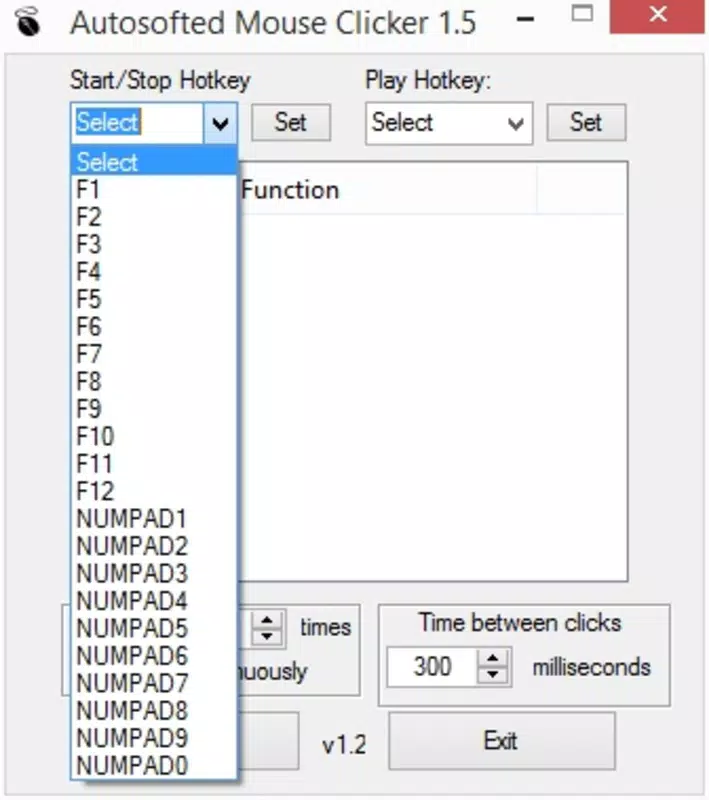
- Customizable Trigger Key: Users can assign any keyboard key to start and stop the automated clicking process. This flexibility allows for personalized control, enabling users to activate the tool without disrupting their current workflow.
- Click History Monitoring: A built-in log records every click executed during active sessions. This feature allows users to review their automation activity, verify accuracy, and adjust timing or position settings as needed.
- Time-Savvy Automation: Once configured, the app runs independently, executing clicks at preset intervals and locations. This hands-off operation is ideal for long-duration tasks, reducing user fatigue and increasing output consistency.
- Easy Setup Process: The setup is streamlined: users select a trigger key, define click points on the screen, and initiate a brief countdown before automation begins. This simplicity ensures minimal learning curve and immediate usability.
For example, a user conducting repetitive form submissions can set the app to click specific form fields at fixed intervals. Similarly, someone testing a mobile interface can automate navigation through multiple screens using pre-set click coordinates. These real-world applications highlight the app’s practical value in both personal and professional contexts.
Interface, UX & Performance
The user interface of Auto Mouse Clicker is designed with clarity and functionality in mind. The layout is divided into three distinct sections—trigger control, click configuration, and history display—ensuring logical flow and minimal cognitive load. Visual elements are minimal, focusing on usability rather than ornamentation, which contributes to a distraction-free experience.
Navigating through the app is straightforward. Users can assign trigger keys, mark click positions on-screen, and review recorded activity with ease. The app responds promptly to inputs, maintaining a smooth interaction cycle. Although the developer did not list formal performance metrics, the app’s lightweight size (14.2 MB) suggests efficient resource usage, which typically correlates with stable operation across various Android device categories.
Responsiveness is consistent during active sessions, with minimal lag between trigger activation and click execution. Stability appears reliable, as the app performs its core functions without reported crashes in the available data. However, specific requirements for device compatibility or OS versions were not disclosed, so users should ensure their devices meet general Android standards for running third-party tools.
Platform Compatibility & Technical Requirements
Auto Mouse Clicker by Autosofted is available exclusively on the Android platform. The current version is 1.0.2, with a file size of 14.2 MB, making it a lightweight application suitable for devices with limited storage. The app is offered free of charge, removing financial barriers to access.
While the developer did not specify minimum OS requirements or compatibility details, the app is designed to function on standard Android devices. Users should verify that their device supports external keyboard input and screen interaction automation, as these are essential for full functionality. The absence of detailed technical specifications means that compatibility with older or newer Android versions cannot be confirmed.
For optimal performance, it is recommended to use the app on devices with stable touch input and responsive screen drivers. The app’s minimal footprint suggests broad compatibility, but users are advised to test it on their specific device before relying on it for critical tasks.
Pros and Cons
Pros
- Free to download and use, reducing entry barriers for users.
- Simple, intuitive interface suitable for all skill levels.
- Customizable trigger key for flexible activation.
- Click history tracking enhances transparency and control.
- Lightweight design (14.2 MB) ensures fast installation and minimal storage use.
Cons
- Specific technical requirements and OS compatibility were not disclosed.
- No information on support for external devices or multi-touch scenarios.
- Developer background and update frequency remain unclear.
- Limited to Android platform; no iOS or desktop availability reported.
- Performance on low-end devices has not been verified.
FAQ
Is Auto Mouse Clicker safe to use on Android?
The app is designed to automate mouse clicks within the user’s own screen environment. It does not collect personal data or access sensitive system functions. As a free tool, it operates under standard Android permissions, but users should only install from trusted sources to ensure security.
Can I use Auto Mouse Clicker with an external keyboard?
Yes, the app supports keyboard-triggered activation, making it compatible with external keyboards. Users can assign any key to start and stop automation, which is especially useful for ergonomic setups.
Does the app require root access?
There is no indication that root access is required. The app functions using standard Android interaction methods, which means it can be used on non-rooted devices.
How do I set up the click positions on the screen?
Users can tap on the screen within the app interface to designate click points. The app records these coordinates and executes clicks at the specified locations during automation.
Is Auto Mouse Clicker updated regularly?
The developer has not provided information on update frequency. Users should check the app store for the latest version to ensure they have access to recent improvements or security patches.
Final Thoughts
Auto Mouse Clicker by Autosofted delivers a focused, no-nonsense solution for users seeking to automate repetitive mouse actions on Android. Its clean interface, customizable trigger system, and built-in click history make it a practical tool for productivity enhancement. While technical details such as OS compatibility and update frequency remain unspecified, the app’s lightweight nature and free access make it a low-risk option for testing automation workflows.
It is best suited for individuals managing repetitive tasks on mobile devices—whether for work, study, or personal projects. For those looking to reduce manual input fatigue and increase efficiency, this app offers a straightforward path to automation. Its value lies in simplicity, accessibility, and immediate usability.
Download Auto Mouse Clicker now


